

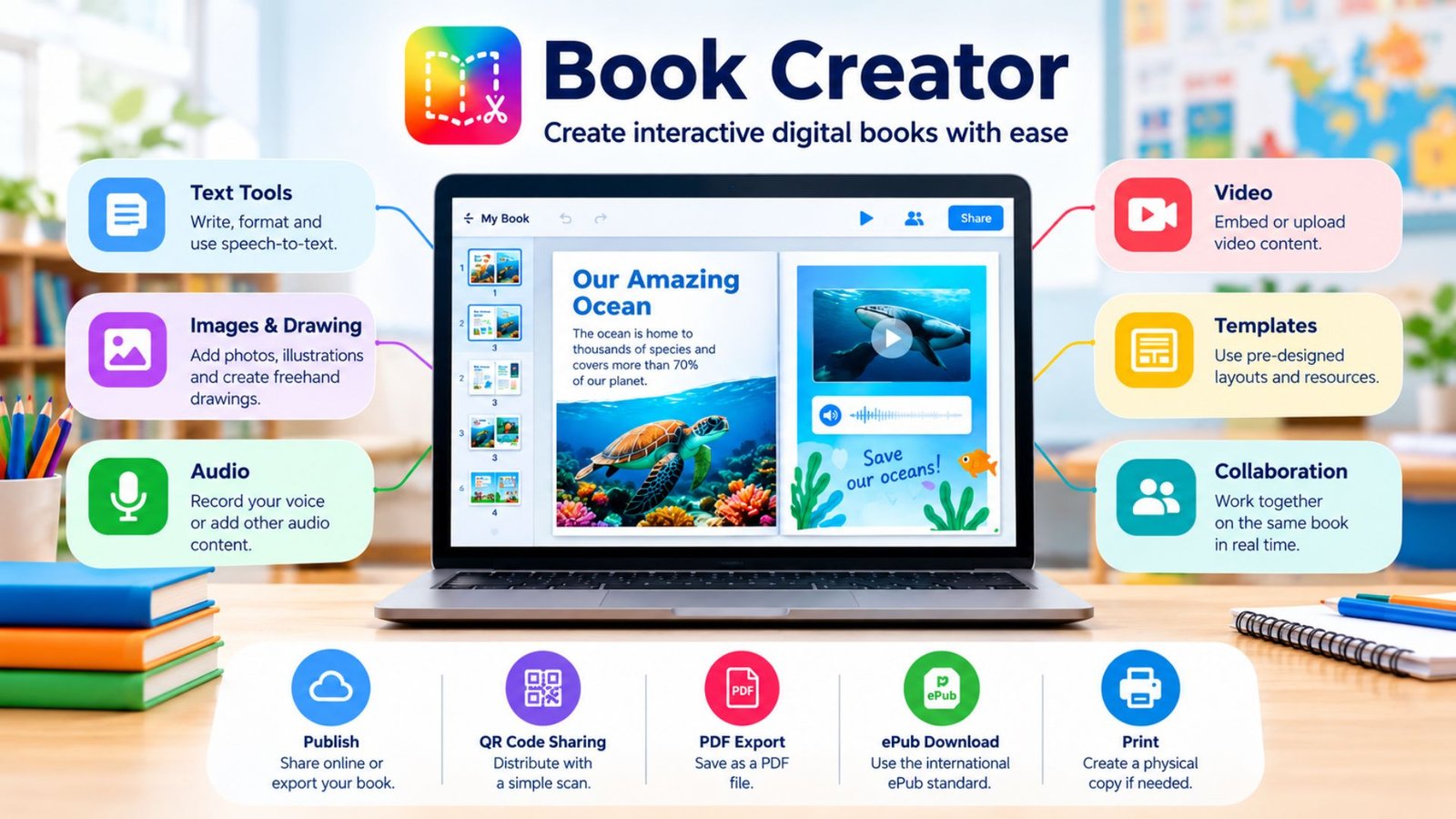
Book Creator is a digital publishing platform designed to make book creation accessible without requiring advanced design or coding skills. It is particularly popular in education, where teachers and students can combine writing, images, drawings, audio, video, and other media in a single project. The platform supports creating, reading, sharing, and publishing digital books, making it useful for everything from classroom assignments to multimedia portfolios.
For someone searching for a simple way to make a digital book, the main appeal is flexibility. Instead of producing a document made entirely of text, users can build pages that communicate through multiple formats.
What Is Book Creator?
Book Creator is a multimedia authoring platform that allows users to create digital books from scratch or with templates. Its tools support text, images, drawings, audio, video, and other interactive elements.
The platform is strongly associated with education. Teachers can create libraries for students, assign books, share finished projects, and use student-created books as evidence of learning. Students can also create stories, reports, portfolios, presentations, comics, and subject-specific projects.
The company says more than 250 million books have been made on its platform, reflecting its substantial use in classrooms.
How Does Book Creator Work?
Getting started is relatively straightforward. Teachers can create an account, establish a library, and invite students to participate. The platform supports several sign-in options, including Google, Microsoft, email, and Clever.
Once a library is established, users can begin creating individual books. A typical project might follow this process:
- Choose a blank book or template.
- Add and organize pages.
- Write or import text.
- Add photographs, illustrations, drawings, audio, or video.
- Adjust the page design and accessibility features.
- Review the finished project.
- Share it online or export it in an appropriate format.
The interface is designed around creation rather than traditional desktop publishing, which makes it particularly suitable for younger learners and classroom projects.
Key Features of Book Creator
The strongest feature of Book Creator is its multimedia approach. A page can contain much more than paragraphs and pictures.
| Feature | What it offers | Useful for |
|---|---|---|
| Text tools | Writing, formatting, and speech-to-text | Stories, reports, reflections |
| Images and drawing | Pictures, illustrations, and freehand work | Visual projects and comics |
| Audio | Voice recordings and other audio | Narration, language practice |
| Video | Embedded or uploaded video content | Demonstrations and presentations |
| Templates | Pre-designed page layouts and resources | Faster project creation |
| Collaboration | Multiple users can work on books | Group assignments |
| Publishing | Online sharing and downloadable formats | Portfolios and finished projects |
The platform also supports features such as PDF conversion, QR-code sharing, page-specific links, ePub downloads, and PDF printing, although available capabilities can vary by plan and platform.
Collaboration for Class Projects
Collaboration can turn a digital book into a group assignment. Students can contribute to the same project, while teachers can manage libraries and classroom workflows.
Real-time collaboration has been part of the platform for years, allowing people in a shared library to work on the same book simultaneously.
This is useful for projects where each student contributes a page, section, illustration, interview, or research component.
Accessibility Features
Accessibility is another significant part of the platform. Book Creator reports compatibility with screen readers including VoiceOver, TalkBack, ChromeVox, Narrator, JAWS, and NVDA. It also supports keyboard navigation, speech-to-text, alternative text for images, captions, transcripts, and other accessibility-focused features.
These tools can help learners who communicate or demonstrate knowledge differently. However, accessibility is not automatic simply because a platform supports accessible features. Authors still need to provide meaningful image descriptions, readable layouts, appropriate text, captions, and other suitable content.
💡 Pro Tip:
Treat multimedia as part of the message rather than decoration. If you add audio, video, or an image, give it a clear purpose. A short narration can explain a complicated diagram, while a labeled image may communicate information more efficiently than another paragraph.
READ ALSO:Dylan Michael Douglas: His Age, Family, and Life
What Can You Create With Book Creator?
The platform is flexible enough for many educational and creative formats. Teachers might use it for digital textbooks, classroom portfolios, reading journals, science reports, history projects, or student reflections.
Students can create:
- Digital stories and picture books
- Research projects
- Biographies
- Poetry collections
- Travel guides
- Comics
- Digital portfolios
- Multimedia presentations
- Language-learning projects
It can also be useful outside traditional assignments. A teacher could create an interactive introduction to a course, while a student could assemble selected work into a portfolio that demonstrates progress over time.
Book Creator’s resources section also includes lesson plans, templates, webinars, example books, and professional-development materials for educators.
Book Creator Pricing and Plans
There is a free starting option for individual teachers. According to the current pricing information, the Starter plan includes one library with up to 40 books and unlimited students. Paid Premium plans add capabilities such as unlimited libraries, up to 1,000 books, real-time collaboration, additional templates, translation, co-teachers, and analytics. School and district licensing is also available.
Because features and plan structures can change, users should check the current pricing page before choosing a subscription.
Publishing and Sharing Your Finished Book
Book Creator provides several ways to distribute finished work. Books can be published online and shared through links or QR codes. Depending on the workflow and platform, users can also export books as PDF or ePub files. The publisher states that its ePub output follows the international ePub standard.
That makes the platform useful when the finished product needs to move beyond a classroom library. A teacher can share a project with families, while students can present their work to an audience outside the classroom.
For authors focused on conventional, text-heavy ebooks, however, a dedicated word processor or desktop publishing application may offer more control. Book Creator is particularly suited to projects where visual and multimedia elements matter.
📌 Key Takeaway:
The biggest strength of Book Creator is the ability to combine different forms of expression in one digital project. Its value comes less from simply replacing paper books and more from giving students and educators a flexible way to create, demonstrate, and share learning.
Frequently Asked Questions
Is Book Creator free?
Yes. Book Creator offers a free Starter option for individual teachers. The current free plan includes one library with up to 40 books and unlimited students, while paid plans provide additional libraries, collaboration, templates, and other features.
Can students use Book Creator?
Yes. Students are one of the platform’s primary audiences. Teachers can establish libraries, invite students, assign projects, and collect completed books. Students can create multimedia work using text, images, drawings, audio, and video.
Can you publish books created with Book Creator?
Yes. Books can be published online, and supported export options include PDF and ePub. Book Creator also provides tools for sharing books through links and QR codes. Its publishing documentation explains that ePub files use the international ePub standard.
Is Book Creator good for classroom projects?
It can be useful for classroom projects because students can demonstrate knowledge through multiple media formats rather than relying exclusively on written answers. Teachers can also use libraries, collaboration, templates, and sharing tools to organize projects.
Does Book Creator support accessibility?
Yes. The platform provides accessibility features including screen-reader support, keyboard navigation, speech-to-text, alternative text, captions, and transcripts. The company says its platform aligns with WCAG 2.2 Level AA, EN 301 549, and Revised Section 508. The accessibility of an individual book still depends on how its author creates the content.
Conclusion
Book Creator offers a practical way to turn writing and ideas into interactive digital publications. Its combination of multimedia creation, collaboration, accessibility tools, classroom libraries, and publishing options makes it particularly relevant to teachers and students.
For simple stories, portfolios, research projects, presentations, and multimedia assignments, Book Creator provides a flexible alternative to traditional document-based work. The best results come from using its features intentionally: clear writing, purposeful media, accessible design, and a structure that helps readers understand the subject.
